
Adblock Browser2.1.1 - App Store
You'll be able to see results in few seconds.
Publisher Description
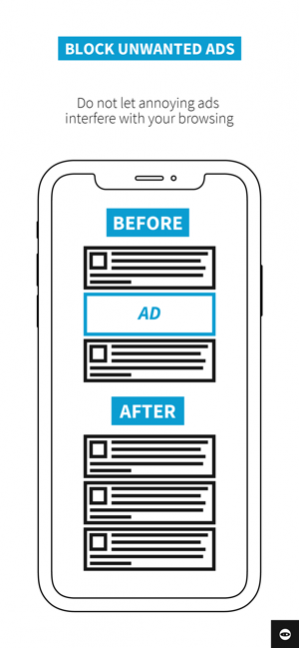
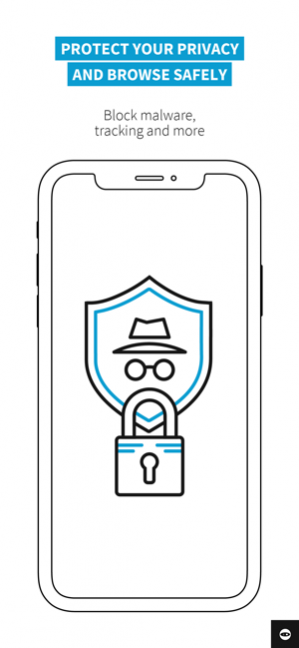
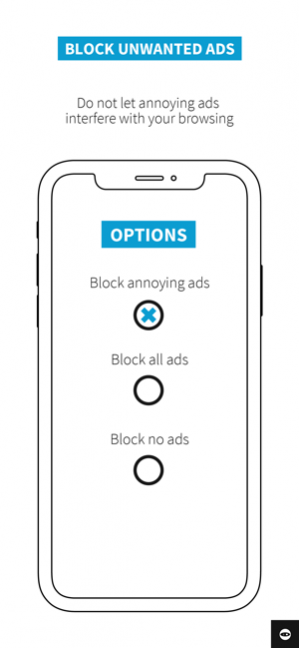
Adblock Browser for iOS is an easy to use, customizable web browser. Block ads to protect against malware and save data and battery. Disable tracking, choose your search engine and more. Search the web quickly, safely and privately.
"Adblock Plus is forcing the ad industry to re-think its core proposition" - MediaPost
“Adblock Browser for iOS makes it easy for non-technical people to reduce the number of mobile web ads they see and protect themselves from known malware sites.” - ExtremeTech
“Bless Adblock for trying to keep that advertising from ruining the web” - Gizmodo
From the team behind Adblock Plus, the most popular ad blocker for desktop browsers with more than 400 million downloads, Adblock Browser allows you to take back control of your mobile browsing experience.
Focusing on privacy, security and user control, Adblock Browser offers the following benefits:
A built-in ad blocker. Block annoying and intrusive ads, including ads on videos watched within the Adblock Browser, improve your web browsing experience and save data and battery life in the process. By default, respectful ads that meet the strict criteria of the Acceptable Ads initiative are shown, which helps support great content creators. Want to block all ads? No problem. Easy to use options allow you to control what you see.
Ghost Mode: Browse the web entirely privately. When Ghost Mode is active your mobile device will not store any browser or search history, cookies or temporary internet files. A simple tap is all it takes to access Ghost Mode, and exiting will wipe all history of the browsing session.
Secure browsing. Blocking intrusive ads minimizes the risk of “malvertising” infections. Recommended by Stanford University, UC Santa Barbara and the Electronic Frontier Foundation, Adblock Browser makes protecting yourself from malware easy.
Enhanced privacy. With a few simple taps you can disable tracking. Adblock Browser lets you browse the web anonymously and stop companies from tracking your online activity.
Added user control. You choose to disable tracking, block all or some ads, or even choose which search engine you want to use. But the control doesn’t stop there. Adblock Browser allows you to add filter lists, whitelist websites and disable social media buttons and anti-ad blocking messages.
Ease of use. Adblock Browser is intuitive, offers smooth scrolling and has easy bookmarking tabbed browsing features. Changing any setting or whitelisting websites take only a few taps.
By downloading and installing the application, you agree to our Terms of Use (https://adblockplus.org/terms) and our Privacy Policy. (https://adblockplus.org/privacy)
Please note: An internet connection is required to use this app ;)
Found a bug or want to help? Contact us at support@adblockplus.org
Learn more about Adblock Browser for iOS: https://adblockbrowser.org/
Facebook https://www.facebook.com/adblockplus
Twitter https://twitter.com/adblockplus
YouTube https://www.youtube.com/user/AdblockPlusOfficial
Instagram https://www.instagram.com/adblockplus
Nov 6, 2019 Version 2.1.1
Adblock Browser for iOS 2.1.1 features overall improved error reporting.
Here’s what changed:
- Fixed a bug that prevented the reporting of crashes and errors from working properly
Questions or feedback? Send us a message at abb@adblockplus.org.
Like the app? Write a review!
About Adblock Browser
The company that develops Adblock Browser is Eyeo GmbH. The latest version released by its developer is 2.1.1.
To install Adblock Browser on your iOS device, just click the green Continue To App button above to start the installation process. The app is listed on our website since 2019-11-06 and was downloaded 0 times. We have already checked if the download link is safe, however for your own protection we recommend that you scan the downloaded app with your antivirus. Your antivirus may detect the Adblock Browser as malware if the download link is broken.
How to install Adblock Browser on your iOS device:
- Click on the Continue To App button on our website. This will redirect you to the App Store.
- Once the Adblock Browser is shown in the iTunes listing of your iOS device, you can start its download and installation. Tap on the GET button to the right of the app to start downloading it.
- If you are not logged-in the iOS appstore app, you'll be prompted for your your Apple ID and/or password.
- After Adblock Browser is downloaded, you'll see an INSTALL button to the right. Tap on it to start the actual installation of the iOS app.
- Once installation is finished you can tap on the OPEN button to start it. Its icon will also be added to your device home screen.
Program Details
System requirements
Download information
Pricing
Version History
version 2.1.1
posted on 2019-11-06
Nov 6, 2019 Version 2.1.1
Adblock Browser for iOS 2.1.1 features overall improved error reporting.
Here’s what changed:
- Fixed a bug that prevented the reporting of crashes and errors from working properly
Questions or feedback? Send us a message at abb@adblockplus.org.
Like the app? Write a review!
version 1.5.0
posted on 2015-09-08
version 2.1.1
posted on 1970-01-01
6 lis 2019 Version 2.1.1
Adblock Browser for iOS 2.1.1 features overall improved error reporting.
Here’s what changed:
- Fixed a bug that prevented the reporting of crashes and errors from working properly
Questions or feedback? Send us a message at abb@adblockplus.org.
Like the app? Write a review!
Disclaimer
Official App Store Link
We do not host Adblock Browser on our servers. We did not scan it for viruses, adware, spyware or other type of malware. This app is hosted by Apple and passed their terms and conditions to be listed there. We recommend caution when installing it.
The App Store link for Adblock Browser is provided to you by apps112.com without any warranties, representations or guarantees of any kind, so access it at your own risk.
If you have questions regarding this particular app contact the publisher directly. For questions about the functionalities of apps112.com contact us.
